ognp - OG Notepad
Share this project


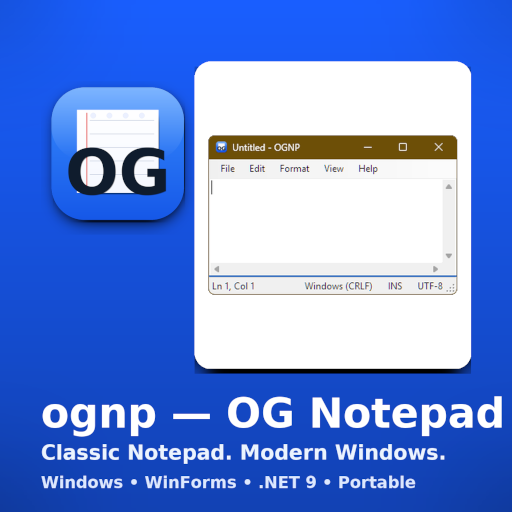
A faithful, tiny re-creation of classic Windows©™ Notepad©™. Fast, portable, and dependency-minimal.
ognp (OG Notepad) preserves the simple, no-nonsense editing experience of classic Windows Notepad.
It’s a portable WinForms app built on .NET 9, with no telemetry, no network calls, and no external NuGet packages. The goal is fidelity: file menu behaviors, Word Wrap quirks, encoding/EOL handling, and printing that feel exactly right.
Why this project?
Modern Notepad has evolved, but some of us miss the ultra-minimal tool that opens fast, stays out of the way, and saves exactly what we typed. ognp exists to be that dependable classic-nothing more, nothing less.
Features
- Classic UI & behavior
- File: New / Open / Save / Save As… / Page Setup / Print / Print Preview / Exit
- Edit: Undo, Cut/Copy/Paste/Delete, Find, Find Next (F3), Replace, Go To (Ctrl+G), Time/Date (F5), Select All
- Format: Word Wrap (off by default), Font…
- View: Status Bar (hidden when Word Wrap is ON - classic behavior)
- Encodings & line endings
- BOM detection for UTF-8/16/32; otherwise defaults to ANSI (system code page)
- “Save As” lets you choose: ANSI, UTF-8, UTF-8 (BOM), UTF-16 LE/BE, UTF-32 LE/BE
- Detects & preserves CRLF / LF / CR on save; Status Bar shows both EOL and encoding
- Quality-of-life
- Drag & drop to open
- Accurate caret position and selection length in the Status Bar
- No bloat
- No telemetry, no network, no external packages
- Single portable
.exe-no installer required
Non-goal: ognp is not a code editor (no tabs, no syntax highlighting, no plugins).
Keyboard Shortcuts
| Action | Shortcut |
|---|---|
| New / Open / Save / Save As | Ctrl+N / Ctrl+O / Ctrl+S / F12 |
| Find / Find Next / Replace | Ctrl+F / F3 / Ctrl+H |
| Go To / Select All / Time/Date | Ctrl+G / Ctrl+A / F5 |
When Word Wrap is ON, Go To is disabled and the Status Bar is hidden-just like classic Notepad.
Download & Verify
Grab the latest ognp.exe and its checksum from Releases:
👉 https://github.com/raystanza/ognp/releases
Verify on Windows (PowerShell):
cd "folder\with\downloads"
$expected = (Get-Content .\ognp.exe.sha256).Split(" ")[0]
$actual   = (Get-FileHash -Algorithm SHA256 .\ognp.exe).Hash.ToLower()
if ($actual -eq $expected) { "OK: SHA256 matches." } else { "MISMATCH!" }
Privacy & Security
- ognp has no network features and no telemetry.
- Security focus is local file handling (open/save, encodings/EOL, printing, CLI args).
- Vulnerabilities? Please report privately via GitHub Private Vulnerability Reporting or email (see
SECURITY.md).
License
GPL-3.0-or-later. See the repos LICENSE file.
Project Author
Built by @raystanza to scratch a very specific itch: a tiny, faithful Notepad that just works.
Last updated on 2026-08-14.