How to Create Your Own Ethereum Crypto Address with MetaMask
April 21, 2024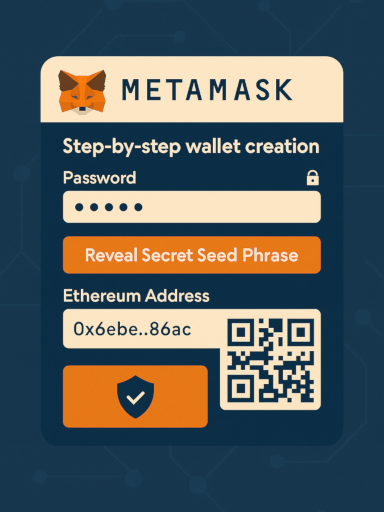
Share this post


A Brief Introduction to Ethereum
Ethereum is a decentralized, open-source blockchain platform that enables programmable “smart contracts” and decentralized applications (dApps). Whereas Bitcoin’s primary goal is peer-to-peer digital cash, Ethereum extends the idea to let developers build anything from decentralized finance (DeFi) protocols to tokenized art marketplaces.
- Ether (ETH): The native cryptocurrency used to pay transaction fees and incentivize network participants.
- Smart Contracts: Self-executing code stored on the blockchain. Once deployed, they run exactly as programmed, without downtime, censorship, fraud, or third-party interference.
- Gas: A unit that measures the computational work required to execute operations. You pay gas in ETH.
Why MetaMask?
MetaMask bridges your browser (or phone) and the Ethereum network. It acts as:
- Wallet: Securely stores your private keys and ETH.
- Identity Manager: Lets dApps request your approval before accessing your account or signing transactions.
- Network Switch: Easily toggle between Ethereum Mainnet, various testnets (Goerli, Sepolia), and custom networks like Binance Smart Chain or local development nodes.
Installing MetaMask
- Official Source Only: Always install from https://metamask.io/.
-
Browser Extension:
- Chrome, Firefox, Edge, or Brave
- Click “Download” → choose your browser → Add extension
-
Mobile App:
- iOS (App Store) or Android (Google Play)
- Search “MetaMask” by ConsenSys, then install
Once installed, you’ll see the MetaMask fox icon in your toolbar or an app icon on your home screen.
Creating and Managing Your Wallet
New Wallet Setup
- Agree to Terms & Privacy
-
Create a Password
- Protects the extension/app on that device
- Use a unique passphrase you’ll remember
-
Reveal & Backup Your Secret Recovery Phrase (12 words)
- This is your wallet backup-no password resets without it
- Never store digitally. Write it on paper or use a metal seed backup
Importing an Existing Wallet
- Select “Import using Secret Recovery Phrase”
- Enter your 12-word phrase and set a new local password
Navigating the MetaMask Interface
Once unlocked, MetaMask shows you:
- Account Name & ETH Balance
- Send / Receive Buttons
- Network Selector (Mainnet, Goerli, custom RPC)
- Asset & Collectibles Tabs (view tokens and NFTs)
- Activity (transaction history)
Everyday Operations
Receiving ETH or Tokens
- Click “Receive”
- Copy your Ethereum address (0x…) or scan the QR code
- Share it to receive assets
Sending Transactions
- Click “Send”
- Paste the recipient’s address or ENS name (e.g., alice.eth)
- Enter amount in ETH or token units
- Adjust Gas Fee (Slow, Average, Fast) or use Advanced Gas Controls
- Approve and confirm
Interacting with dApps
- Navigate to a dApp site (e.g., Uniswap, OpenSea)
- Click “Connect Wallet” and select MetaMask
- A pop-up will request your approval-review permissions carefully
- Sign transactions in MetaMask to trade, mint NFTs, or provide liquidity
Advanced Features
Adding Custom Tokens
- In the Assets tab, click “Import tokens”
- Paste the token’s contract address (find on Etherscan)
- MetaMask auto-detects symbol and decimals
Switching Networks & Custom RPC
- Click the network dropdown → “Add Network”
- Enter details (RPC URL, Chain ID, Currency Symbol) for networks like Polygon, BSC, Avalanche, or a local Ganache node
Using Testnets
- Select a test network (Goerli, Sepolia) to experiment without real ETH
- Get test ETH from a faucet (e.g., Goerli Faucet)
Security Best Practices
-
Private Keys & Seed Phrase
- Never reveal these. Treat them like the PIN to your bank safe.
-
Phishing Awareness
- Always verify URLs. Scammers mimic dashboards and dApps.
-
Hardware Wallet Integration
- MetaMask supports Ledger and Trezor for offline key storage.
- Go to Settings → Advanced → Hardware Wallet to pair.
-
Regular Backups
- Re-verify your written recovery phrase every few months.
Troubleshooting & Tips
-
“Transaction Pending” for Hours?
- Increase the gas price via “Speed Up” or cancel the transaction.
-
Missing Tokens?
- Ensure you’ve added the correct contract address under “Import tokens.”
-
Forgot Password but Have Your Phrase?
- Re-install MetaMask and choose “Import wallet.”
Next Steps: Exploring the Ecosystem
- Decentralized Finance (DeFi): Lend on Aave, borrow on MakerDAO, or farm yields on Curve.
- NFTs & Collectibles: Mint your art on OpenSea, build a simple ERC-721 using Remix.
- Layer-2 Scaling: Try Arbitrum or Optimism for faster, cheaper transactions.
- Smart Contract Development: Use tools like Hardhat or Truffle to write and deploy your own contracts.
Further Resources
-
Ethereum Documentation: https://ethereum.org/en/developers/docs/
-
MetaMask Help Center: https://metamask.io/faqs.html
-
Etherscan: https://etherscan.io/ Track transactions and look up token contracts.